
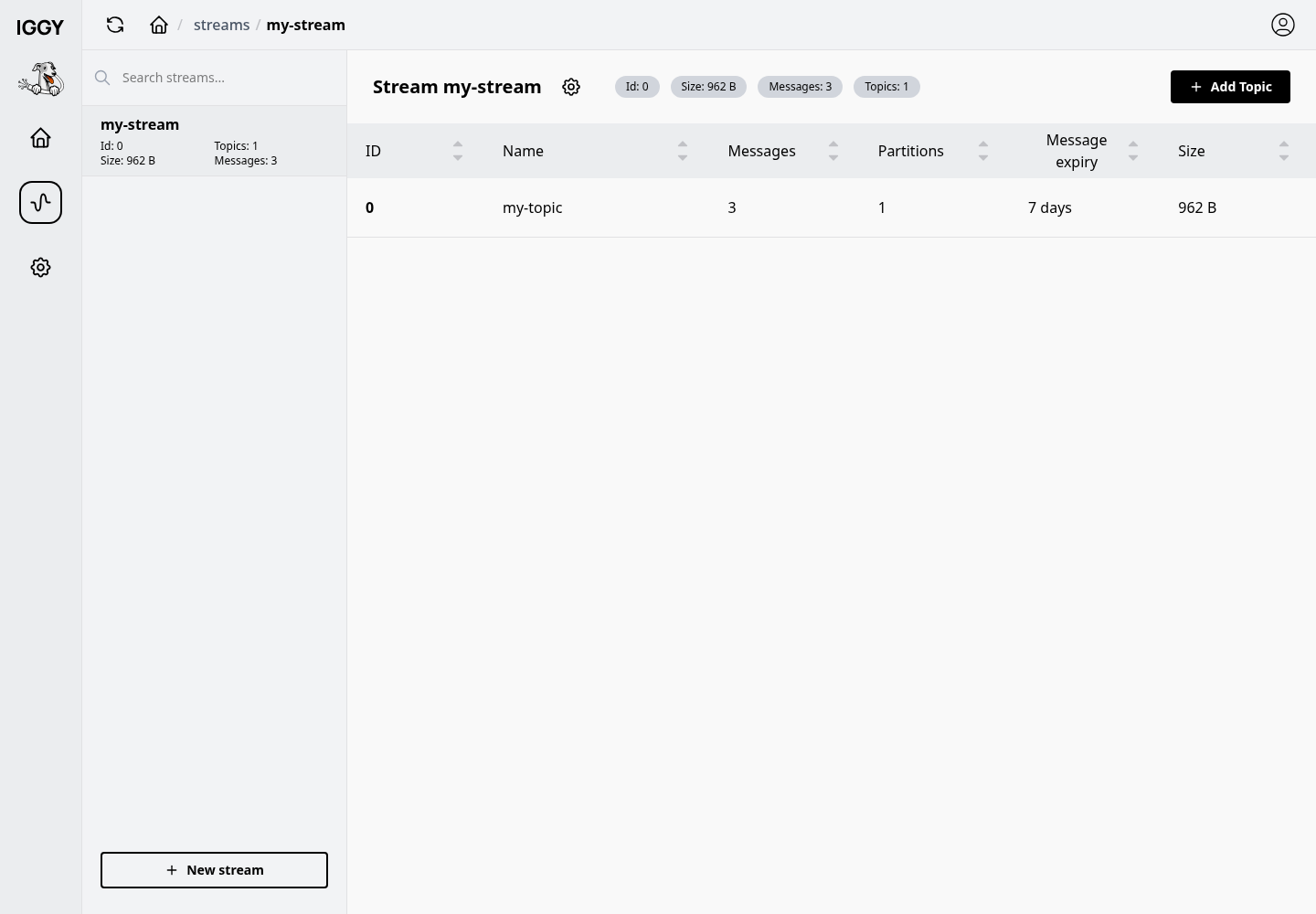
The Iggy Web UI dashboard, for monitoring server health and browsing streams, topics, messages and users.
Iggy Web UI provides a comprehensive dashboard for Iggy server. It allows you to monitor the server's health, streams, topics, browse the messages, users and more. The dashboard is built with SvelteKit and TypeScript and is available as open-source as well as the Docker image on Docker Hub.
These instructions target Iggy server 0.9.0. Use a matching source checkout for local builds.
How it connects
The Web UI is a purely client-side application: every call to the Iggy HTTP API is issued by your browser, not by the Web UI container or server. Two things follow from this:
PUBLIC_IGGY_API_URLmust be a URL that the browser can reach (e.g.http://localhost:3010), not an internal Docker network hostname likehttp://iggy:80.- The Iggy server must allow cross-origin requests from the Web UI origin. CORS is enabled for all origins by default (
[http.cors]in the server config). If you restrictedallowed_origins, add the Web UI origin.
In embedded mode neither applies: the UI is served from the same origin as the HTTP API and uses relative URLs.
Running modes
Embedded mode
The Web UI is compiled directly into the Iggy server binary via the iggy-web cargo feature, which is enabled by default (official binaries and Docker images include it). To serve it at the /ui endpoint, flip the web_ui flag (disabled by default):
[http]
enabled = true
web_ui = true   # Enable embedded Web UI at /ui
When building from source, generate the static assets before compiling the server. Run from the repository root:
npm --prefix web ci
npm --prefix web run build:static
cargo build --bin iggy-server
The feature alone does not generate these assets. A server binary built without them returns 404 at /ui.
If the server is compiled without the iggy-web feature and web_ui = true, a warning is logged but the server continues to run normally.
Standalone mode
Start an Iggy server with HTTP enabled, as shown in Getting started, then run the Web UI as a separate container:
docker pull apache/iggy-web-ui:0.4.0
docker run -e PUBLIC_IGGY_API_URL=http://localhost:3000 -p 3050:3050 apache/iggy-web-ui:0.4.0
PUBLIC_IGGY_API_URL is consumed by the browser: if the Iggy server also runs in Docker, use the host-published HTTP port here, not the container's network alias.
Local development
The Web UI lives in the web/ folder of the repository. Use a Node.js version supported by the frontend toolchain (^20.19.0 || ^22.13.0 || >=24, for example Node.js 22.13 or later in the 22.x series) and npm (pnpm and yarn are not part of the supported workflow):
cd web
npm ci
npm run dev
Point the UI at your Iggy server's HTTP API via a .env file in the web/ folder, e.g. PUBLIC_IGGY_API_URL=http://127.0.0.1:3000.
Features
The Web UI provides the following pages and functionality:
- Overview - server health and key metrics
- Streams - list, create, and manage streams
- Topics - create and delete topics, and edit their name and message expiry
- Partitions - view partition details per topic
- Messages - browse messages per partition with built-in decoders:
- JSON decoder (formatted JSON output)
- String decoder (UTF-8 text)
- XML decoder
- Users - list and create users, including their initial permissions
- Settings - Web UI preferences
Topic updates share the HTTP API's retention update limitations. Other topic options require the CLI or HTTP API.
The Clients, Logs and terminal routes are placeholders hidden from navigation. The Server settings page displays information, but saving settings is disabled. Editing and deleting existing users, changing their permissions and bulk user actions are also placeholders. See the roadmap for what is planned.
Docker Compose example
Here's the full example of the docker-compose.yml file that starts the Iggy server, initializes it with the my-stream stream and my-topic topic with the help of Iggy CLI, and starts the Iggy Web UI:
services:
  iggy:
    image: apache/iggy:0.9.0
    container_name: iggy
    restart: unless-stopped
    cap_add:
      - SYS_NICE
    security_opt:
      - seccomp:unconfined
    ulimits:
      memlock:
        soft: -1
        hard: -1
    environment:
      - IGGY_ROOT_USERNAME=iggy
      - IGGY_ROOT_PASSWORD=Secret123
      - IGGY_HTTP_ENABLED=true
      - IGGY_HTTP_ADDRESS=0.0.0.0:80
      - IGGY_TCP_ENABLED=true
      - IGGY_TCP_ADDRESS=0.0.0.0:3000
      # The init container below reaches this service by its compose name,
      # so publish that name rather than localhost.
      - IGGY_NODE_ADVERTISED_ADDRESS=iggy
      - IGGY_QUIC_ENABLED=false
      - IGGY_WEBSOCKET_ENABLED=false
    ports:
      - "3010:80"
      - "5100:3000"
    networks:
      - iggy
    volumes:
      # The published image runs from /app and stores data in the relative
      # "local_data" directory, so the volume must be mounted at /app/local_data.
      - iggy:/app/local_data

  init-iggy:
    image: apache/iggy:0.9.0
    container_name: init-iggy
    networks:
      - iggy
    depends_on:
      - iggy
    entrypoint: [ '/bin/sh', '-c' ]
    command: |
      "
      echo 'Creating my-stream...'
      iggy --transport tcp --tcp-server-address iggy:3000 --username iggy --password Secret123 stream create my-stream
      echo 'Created my-stream'

      echo 'Creating my-stream topics...'
      iggy --tcp-server-address iggy:3000 --username iggy --password Secret123 topic create my-stream my-topic 1 none 7d
      echo 'Created my-stream topics'
      "

  iggy-web-ui:
    image: apache/iggy-web-ui:0.4.0
    container_name: iggy-web-ui
    restart: unless-stopped
    environment:
      # Consumed by the browser, so it must be the host-published HTTP address
      # of the Iggy server, not the "iggy" network alias.
      - PUBLIC_IGGY_API_URL=http://localhost:3010
    ports:
      - "3050:3050"
    networks:
      - iggy

networks:
  iggy:

volumes:
  iggy: